Floor plan and sections
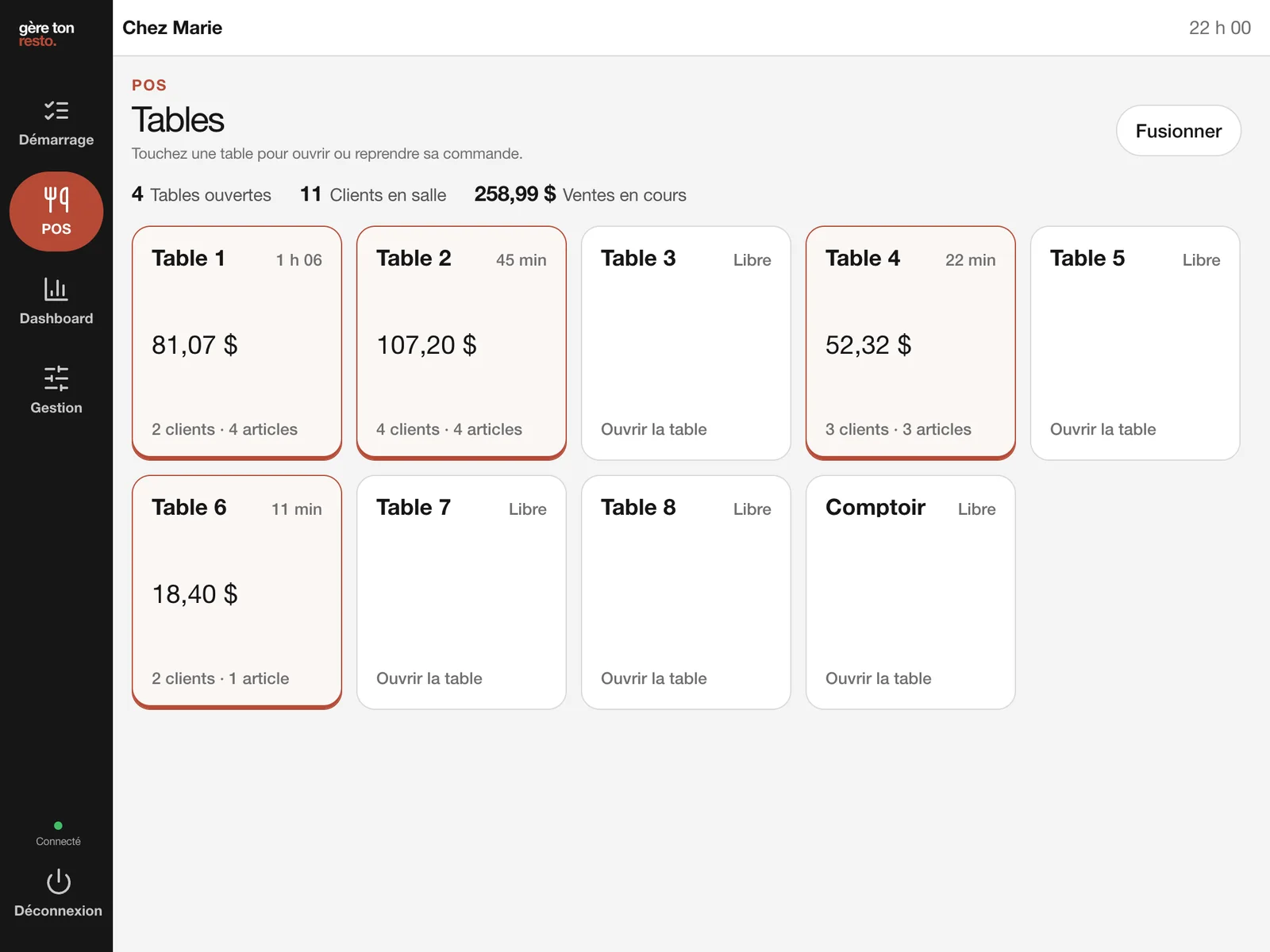
Your tables and sections on screen so you can read the room at a glance.
SOLUTION · PIZZERIA
Enter orders and send items to the assigned kitchen station.

EVERY DAY
Your tables and sections on screen so you can read the room at a glance.
Take orders at the table and assign each dish to the right seat.
Tickets go to the right kitchen or bar station.
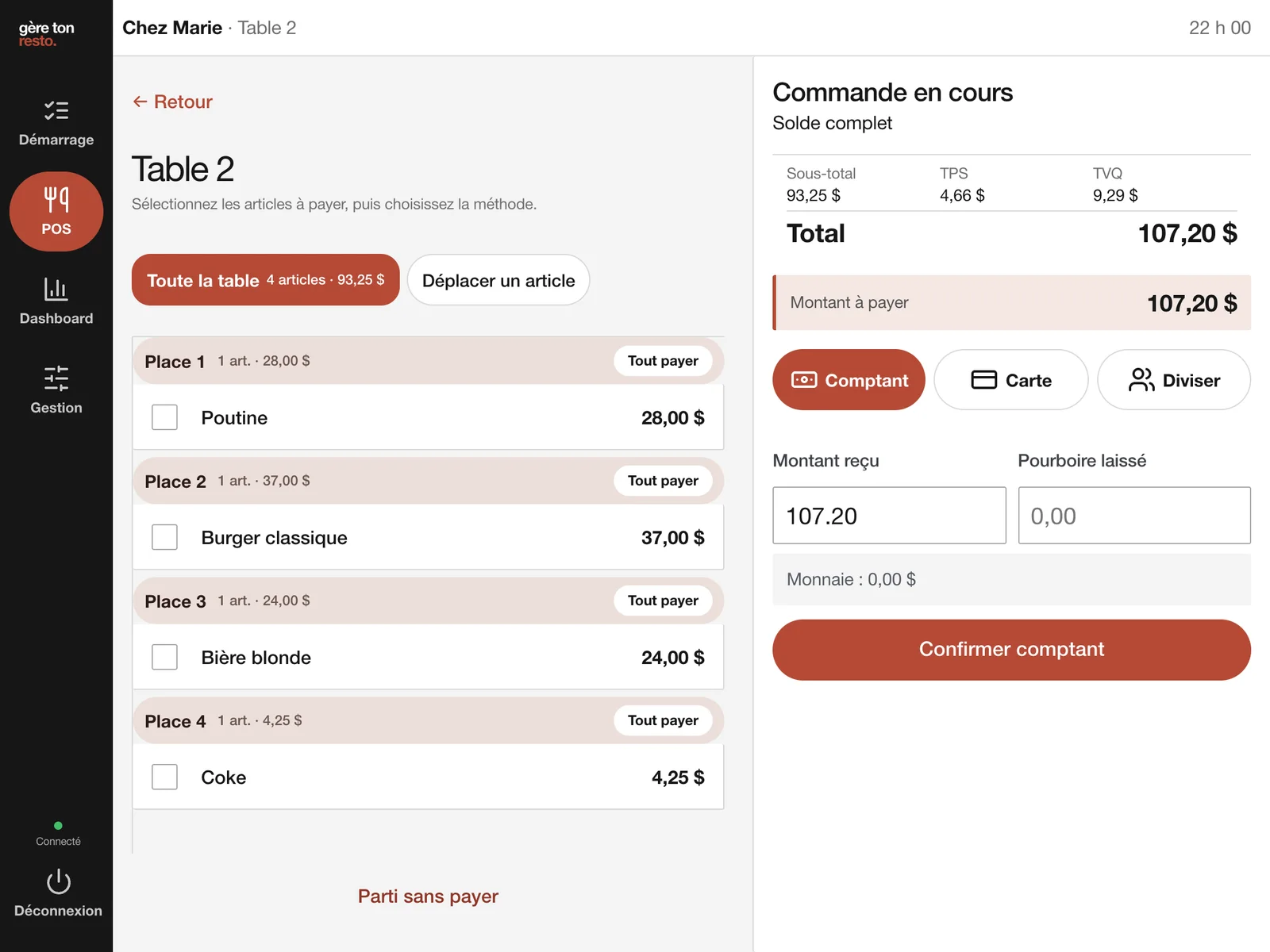
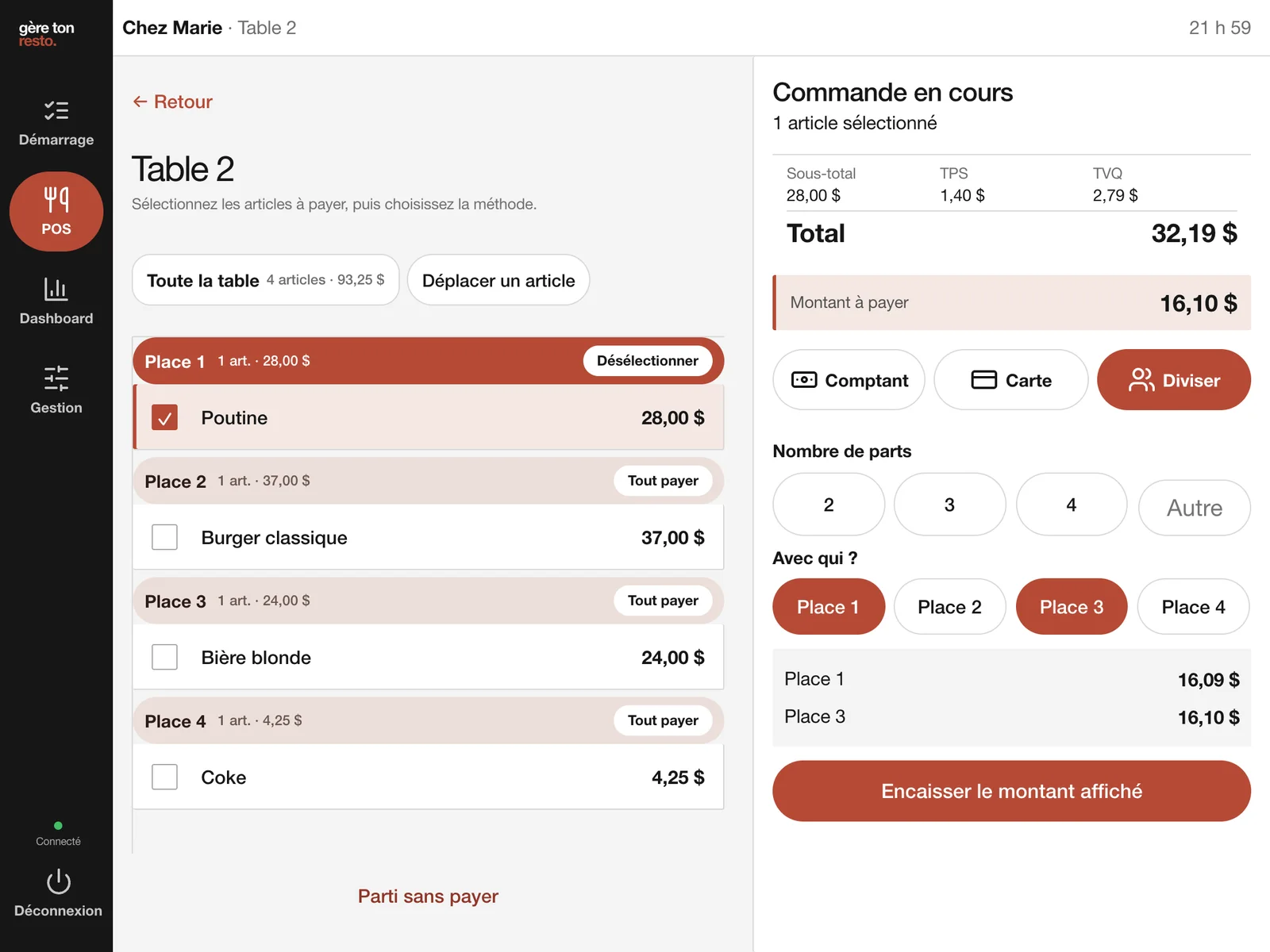
Split the bill by seat, by item or evenly.
Payments and tips recorded on every bill.
Menus, sales and settings from the same web portal.
THE POS IN PICTURES
Real screenshots of the app on iPad.
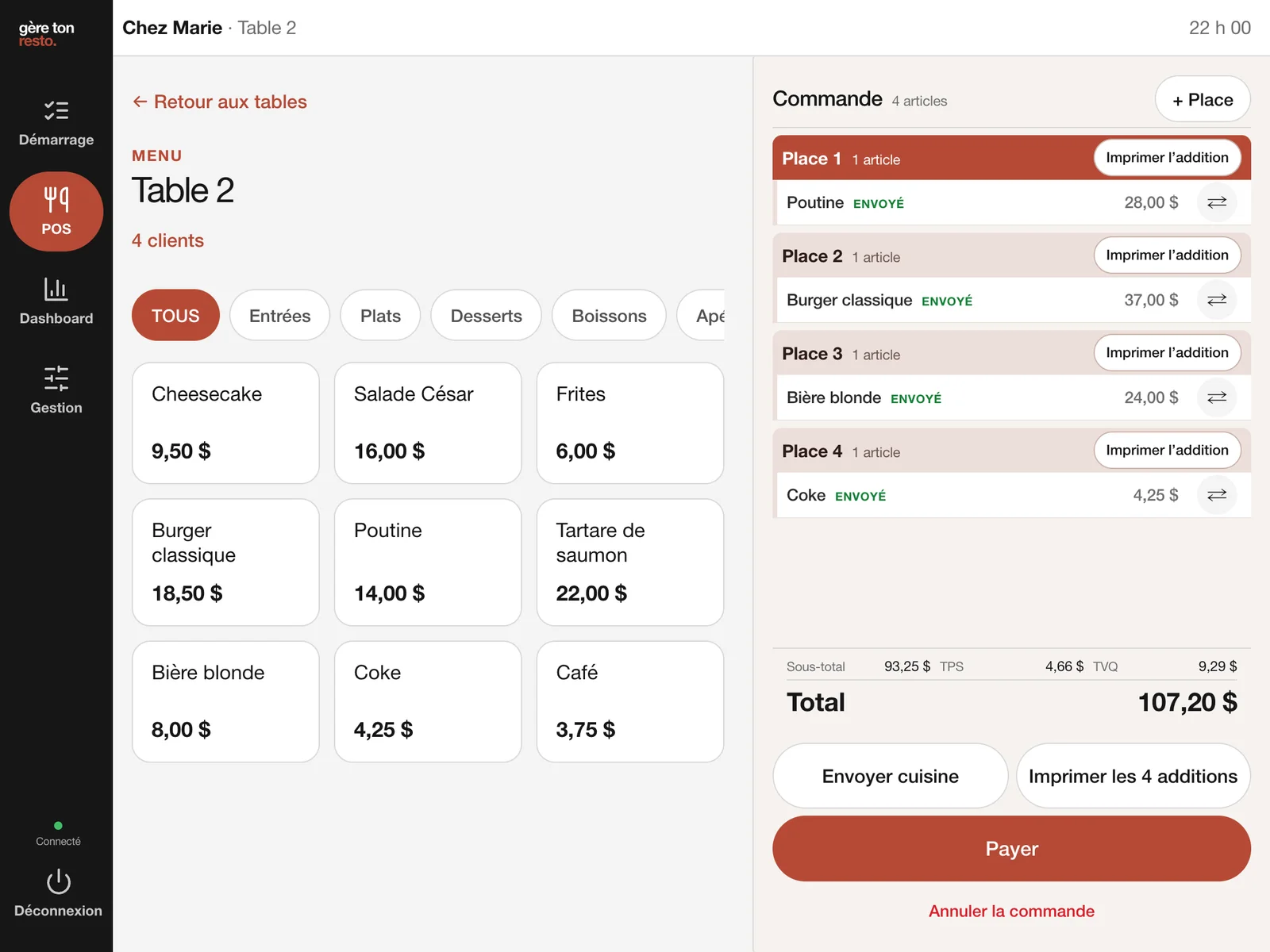
Keep orders tied to the right guest or table and route items to configured stations.
Manage the menu, tables, stations, printers and settings from the web portal while the POS stays focused on service.
Gère ton resto provides the software. Restaurants keep control over compatible devices, printers and payment terminals.

No. Gère ton resto provides the software and the restaurant uses compatible hardware.
Yes. Reservations can be added later or used independently without the POS.
POS
The POS will be available once certified by Revenu Québec. Meanwhile, try Reservations: $75 CAD / month after 30 days free.